Changing your password
When you change your password, the following rules apply:

Your password must be different from your user name
You cannot use an old password that you previously used to log in to Gambler’s Help Connect
Your password MUST:

Be ten (10) characters long
Contain one (1) special character, e.g., $, % *
Contain one (1) CAPITAL letter
Contain five (5) lower case letters
Contain one (1) numeric character
You can change your password from the notification pane at the top right hand corner of your screen.
1 Click

in the notification pane.
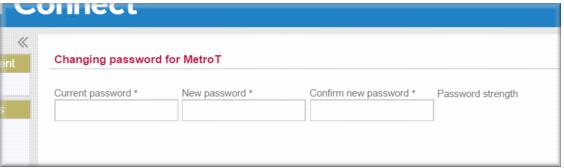
The Changing password for… page displays. 2 Enter your current password into the Current Password field.
3 Enter your new password into the New Password field.
In the Password strength field Gambler’s Help Connect indicates the strength of your new password – it must be strong or very strong.
4 Confirm your new password in the Confirm Password field.
5 Click

.
Your password is changed.