Cancelling a completed activity
From time to time an activity might be recorded in error. For example, an activity might be mistakenly recorded against the wrong client or case. You can cancel a saved activity:
1 Open the case record containing the activity you want to cancel.
2 Select the Activities tab.
3 In the activities list, locate the activity and click

.
The activity record opens in edit view. 4 In the New notes field, enter a note explaining the cancellation.
5 In the
Status field,

select
No action required.
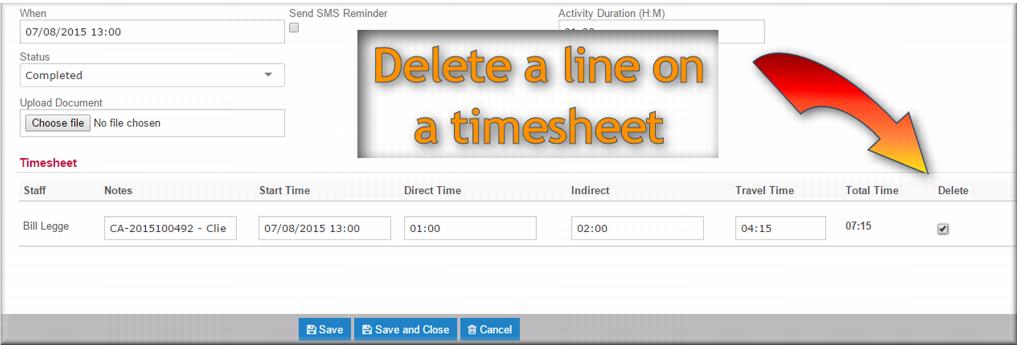
6 In the Timesheet, select Delete.
7 Click

.
| If you just want to remove a member of staff from a closed activity, delete them from the Staff field and delete their timesheet entry. Then save and close. |
![MCj04347500000[1]](../GHC102/images/GHC-102-PM.1.132.5.jpg)