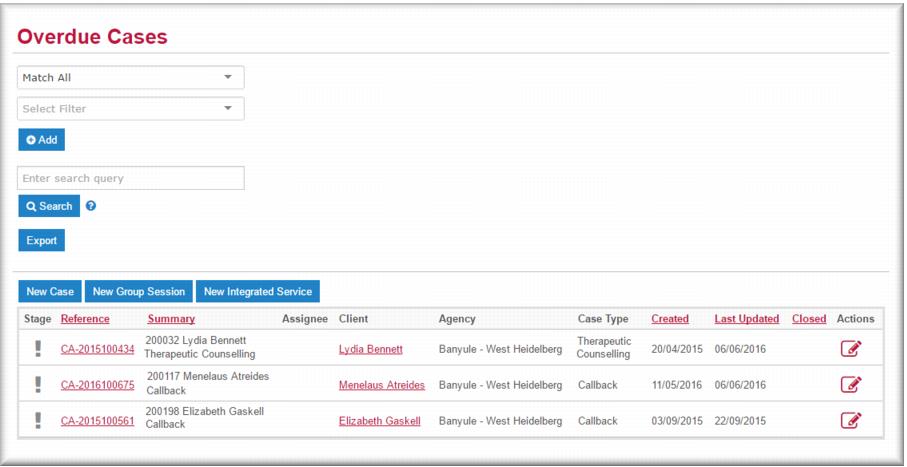
Overdue cases
A new client case becomes overdue if it is not acknowledged by an intake worker or accepted by a care provider by midnight of the business day following creation of the case in Gambler’s Help Connect. If an intake worker assigns a case to a counsellor and they do not accept the case by midnight of the business day following the creation date the case displays in the Overdue list. (An assigned case also displays in the My Cases list of the counsellor to whom it is assigned).
You can filter the Overdue Cases list to view cases by a particular attribute, for example, team or case type. From the Overdue Cases list you can:

Open a case in view mode by clicking the
case link.
Open the case in edit mode by clicking the edit icon

.
Open the client record in view mode by clicking the
client link.
Send an email to the primary care provider by clicking the email icon

.
| For more information on how to use filter your list results, see Using search filters. |
![MCj04347500000[1]](../GHC102/images/GHC-102-PM.1.019.4.jpg)