Activities
The Activities search enables you to query all activities of any status at your agency. There are a number of scenarios when you might use this:

To see a consolidated list of all activities for a particular client, for a particular case or across all cases for that client
To view open activities for a particular client
When covering for an absent colleague to check for scheduled activities.
When setting an activities search you can use the following search criteria either singly or in combination:
Keyword – search for any text in the notes in an activity
Case Type – search for activities of a given case type Therapeutic or Financial counselling, or Group session
 Activity type
 – determined by your case type selection
Activity Sub-Type – determined by your activity type selection
Status – search for activities by status:
Opened Completed No action required (cancelled)
No Show Parties – search for activities for a specific client
Staff – search for activities for a specific counsellor.
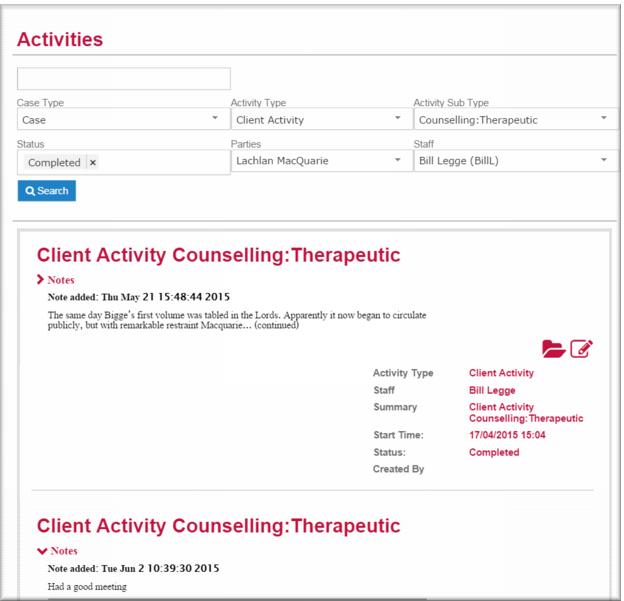
The illustration below shows an activity search for completed therapeutic counselling activities for a specific client in a TC case for a specific counsellor.
Running an activity search
To run an activity search:
1 In the Navigation Menu select : Activities.
The Activities page displays all activities of all types and statuses recorded at your agency.
2 Select your search criteria.
3 Click

.