Processing a COS2 or 3
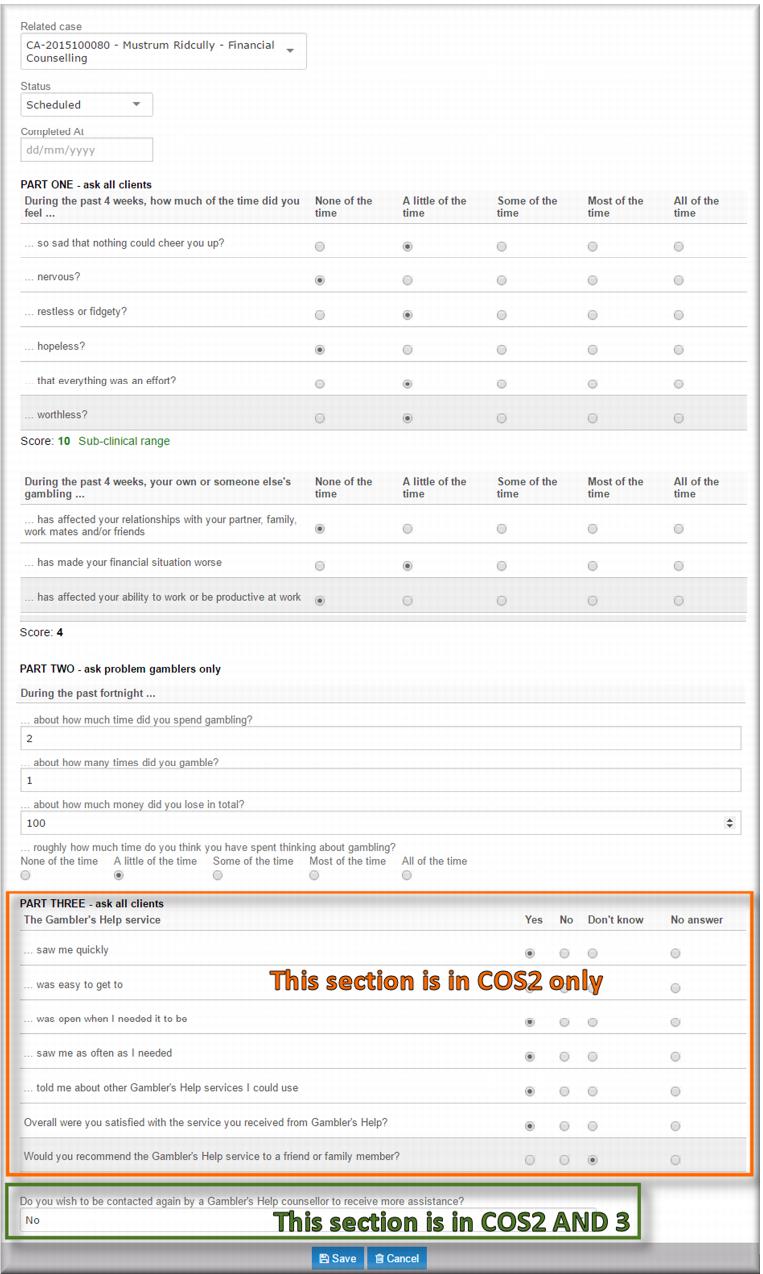
| When you process a COS 2 or 3 the final question is whether the client wants to be contacted by a Gambler’s Help service for more assistance. If the answer is Yes, you keep the client on the line after completing the COS to record a new referral for them. |
The start point for processing a COS 2 or 3 is the Pending COS list:
1 From the menu select Pending COS.
The Pending COS list displays.
2 Click the Name link for the client you want to follow up for a COS.
The client record opens in view mode.
3 Expand the
Client Outcome Surveys (COS) section and click the

next to the COS2 or 3.
The Client Outcome Survey form COS2 or 3 displays. Use the radio buttons and text fields to enter the client’s responses to the questions.
4 Scroll to the top of the form and in the
Status field,

select
Completed.
5 In the Completed At field, enter the date.
6 Scroll back to the bottom of the form and then click

.
If you completed a COS 2 a COS 3 is queued to the Gambler’s Helpline for a follow up three months from the completed date. ![MCj04347200000[1]](../GHC102/images/GHC-102-PM.1.062.1.jpg)