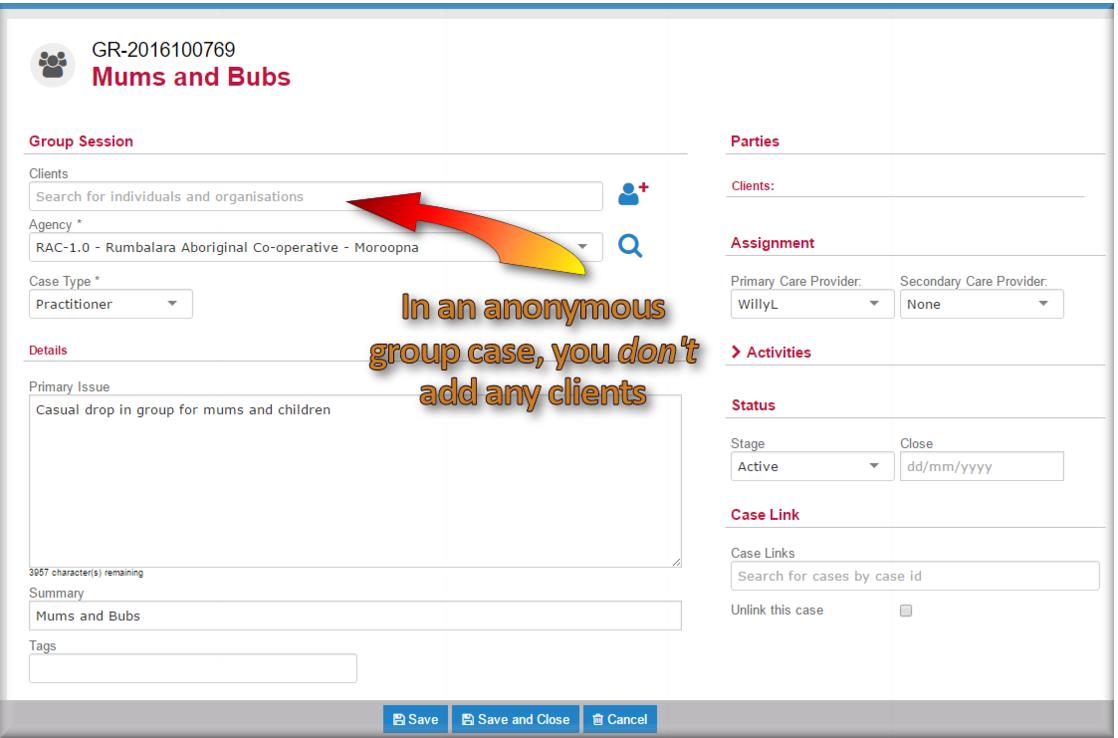
Creating an anonymous practitioner group case
You can use this type of case when attending a group session for people who aren’t registered with your service. The difference between this and a regular group case is that you don’t add any clients to the record. An anonymous group case can happen just once, or it can be a regular part of your program, for example, when you run a regular drop in session. Unlike an anonymous case for a single person, you can keep this type of case open and record more than one activity for it.
1 In the menu select New Group Session.
The New Case for group sessions screen displays.
2 In the
Agency field

select the agency where the group will run.
3 In the
Case Type field

select
Practitioner.
4 In the Narrative field enter a description of the group session or program.
5 In the Summary field enter the name of the group.
This will be the name of the group that displays in your case list.
6 In the
Assignment section,

select the
Primary Care Provider.
7 IF another practitioner is going to share management of the case with you,

select them on the
Secondary Care Provider field.
8 In the
Status section, in the
Stage field

select
Active.
9 Click

.