Service promotion cases
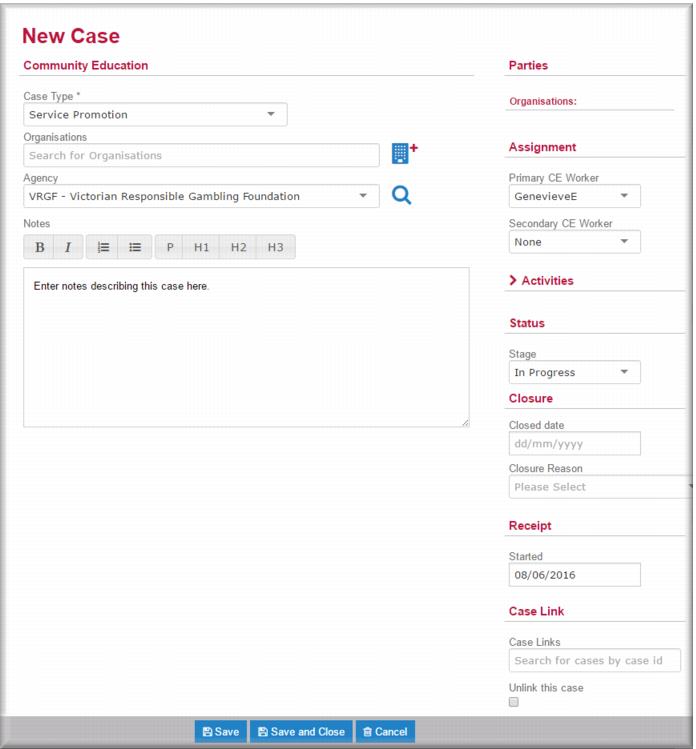
Community education service promotion cases differ from schools or sporting club cases in that they are not linked to a specific organisation. Rather, they apply to all service promotion activities conducted by your community education team across the entire catchment serviced by your agency.
Creating a service promotion case
To create a service promotion case:
1 In the menu select New Community Education.
The New Case page displays.
2 In the Community Education section:

In the
Case Type field,

select
Service Promotion.
In the
Agency field,

select your agency.
In the
Notes field, enter such notes that are relevant or applicable to the catchment based case.
3 In the Assignment section:
In the
Primary CE Worker field

select the community education worker who will have primary carriage of the case.
IF required,

select a secondary community education worker.
4 In the
Status section, in the
Stage field,

select
In Progress.
5 Click

.
The case record displays in view mode. You can start recording activities against the case.