My Cases and My Activities
The My Cases and My Activities lists display all your cases and all your pending or uncompleted activities.
My Cases
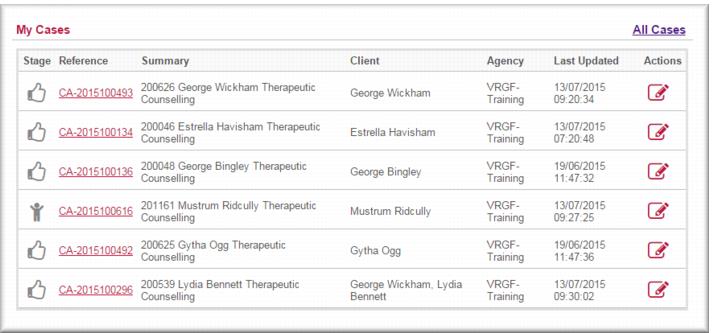
In My Cases you will find all active cases where you are the Primary Care Provider, Primary Community Education Worker or Venue Support Worker.
You can:

Open the case in view mode by clicking the
case link Open the case in edit mode by clicking the edit icon

.
| If you want to review your closed cases, use the Cases search. |
Family therapy cases
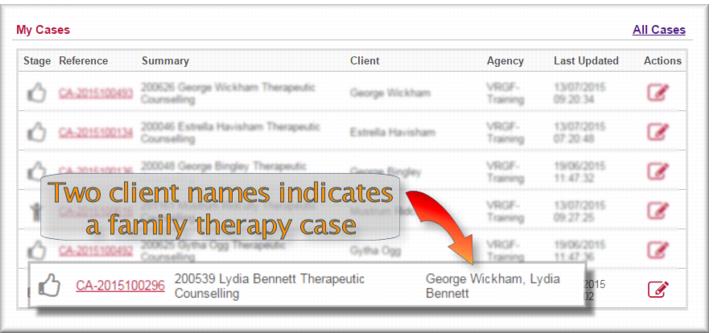
You can identify a family therapy case by the extra client(s) in the Client column. In the illustration below you will observe that Lydia Bennett’s case also has her husband George Wickham listed as a client, indicating that this is a family therapy case.
My Activities
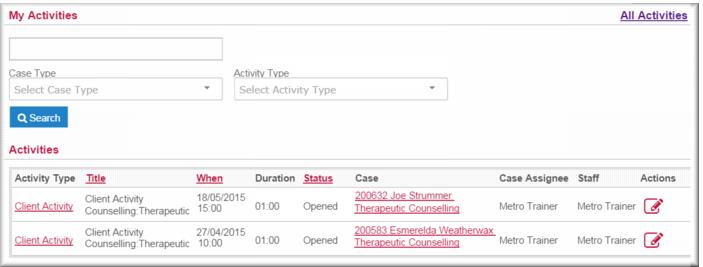
In My Activities you can see all your pending or uncompleted activities.
You can:
Open the activity in view mode by clicking the
activity type link
Open the activity directly for editing by clicking the edit icon

.
Open the case record in view mode by clicking the
case link.
![MCj04347500000[1]](../GHC102/images/GHC-102-PM.1.021.3.jpg)