Conduct the client search
As with other new case activities you start by doing a client search to identify whether the client has a history with the program.
3 Open the client record in view mode.
4 IF there are any changes of detail:
5 Click

to open the client record and make the relevant changes
6 Click

to save the changes and return the record to view mode.
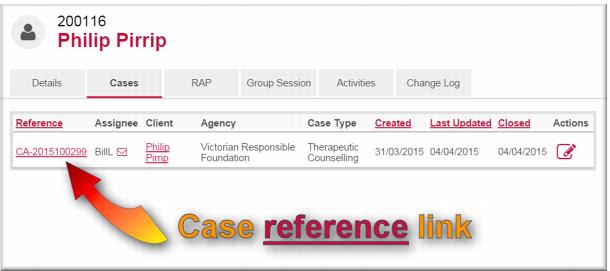
7 Select the Cases tab.
The Cases tab displays a list of all previous and current cases for this client across the Gambler’s Help program.
8 Review the case history for the client.
Create the case
Having identified the client record and established that it is appropriate to create a case for the client you can proceed with the new case. You do this from the Details page of the client record.
1 In the Create Case section of the client details page click Case +As Client.
The New Case page displays with the client’s name in the Clients field.
2 Complete the new case details as you would for a new case for a new client.
| If you are an intake worker or counsellor processing the referral at your local service, you should record an intake and registration activity to account for your time. |
![MCj04347500000[1]](../GHC102/images/GHC-102-PM.1.045.1.jpg)
![MCj04347500000[1]](../GHC102/images/GHC-102-PM.1.045.5.jpg)