![MCj04347500000[1]](../GHC102/images/GHC-102-PM.1.052.1.jpg) | Normally you would expect at least one of the clients involved in a family case to have a record in Gambler’s Help Connect. If this is the case you can also use the new case link function to start the new case. |
| Normally you would expect at least one of the clients involved in a family case to have a record in Gambler’s Help Connect. If this is the case you can also use the new case link function to start the new case. |
If… | Then |
…the second client is already registered… | Select the client |
…the second client is NOT registered… | Click  and then create a client record for the new client. and then create a client record for the new client. |
 select the case type.
  select Yes.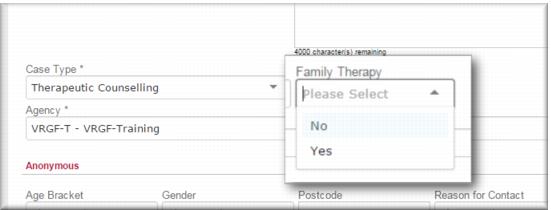
 .
.![MCj04347500000[1]](../GHC102/images/GHC-102-PM.1.052.7.jpg) | When recording activities against family therapy cases you need to make sure that all the clients are included in the activities. See Processing activities for a family therapy case if you’re not sure how to do this. |