Linking cases
If a client has a previous case history at your agency you have the option of creating a linked case for them from a previous case record. The advantage of creating a linked case is that it contextualises the new case and makes it simple for you to refer to the previous cases(s) the client might have had.
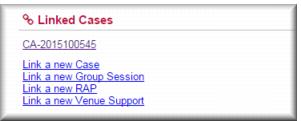
When you link two (or more cases) Gambler’s Help Connect places a link to the case (or cases) on the case page enabling you to navigate quickly between the cases. This procedure can be helpful for helping you manage group or family therapy cases.
| This process only works for cases based at your agency. |
There are two ways you can link two cases:

In the case page in view mode you can create a new linked case by clicking
Link a new case:
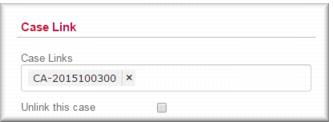
In the case page in edit mode you can enter the case number of the case you want to link to in the
Case Links field. You can do this for multiple cases when you create a group session.
![MCj04347500000[1]](../GHC102/images/GHC-102-PM.1.072.1.jpg)