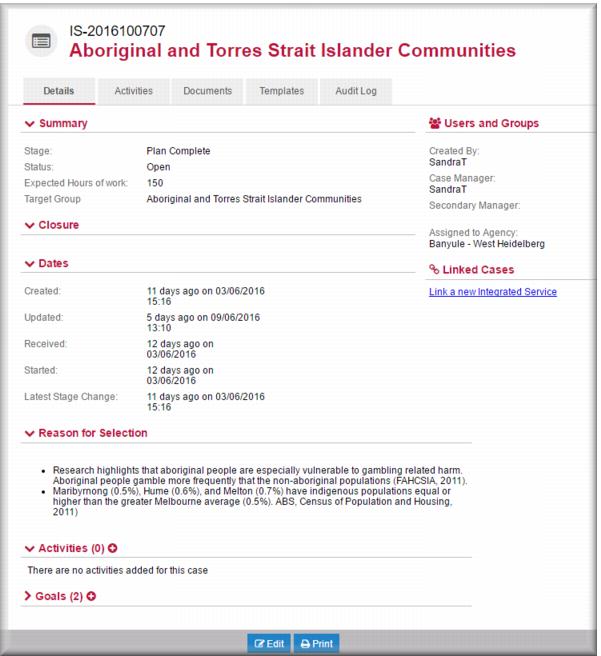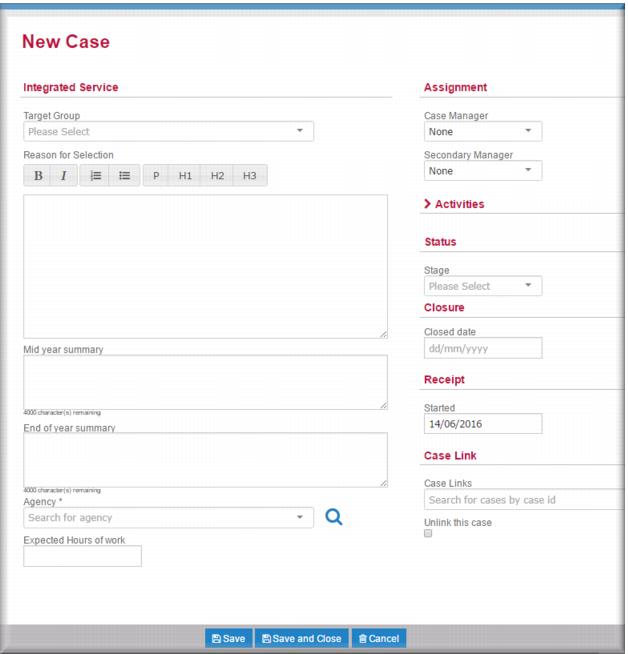
 In the Target Group field,
  select the demographic who will be the focus of this case.
 ![MCj04347500000[1]](../GHC102/images/GHC-102-PM.1.156.3.jpg) | If you select Other a free text field displays for you to enter the demographic that will be the focus of this case. |
In the Reason for Selection enter the rationale underpinning your agency selection of this demographic as the focus for this new case.In the Agency field,  select your agency.In the Expected Hours of Work field, enter the total number of hours expected to be worked by agency staff on this case.In the Case Manager field,
  select the person who will have carriage of the case.Optionally, in the Secondary Manager field,
  select a second case manager.
 select Plan In Progress.
 .
.