![MCj04347200000[1]](../GHC102/images/GHC-102-PM.1.159.1.jpg) | The templates DON’T aggregate your IS cases into a single report. You need to generate a copy for each of your integrated service cases. |
| The templates DON’T aggregate your IS cases into a single report. You need to generate a copy for each of your integrated service cases. |
 Integrated Service Plan – generates a copy of your integrated service plan, including all goal details, for submission to and endorsement by the foundation.Midyear report – generates a copy of your mid year report, including all goals details and your evalusation, for submission to and endorsement by the foundation.End of year report – generates a copy of your mid year report, including all goals details and your evalusation, for submission to and endorsement by the foundation.
![MCj04347500000[1]](../GHC102/images/GHC-102-PM.1.159.2.jpg) | Should you identify a requirement for new templates, or changes to existing templates, you should talk to your manager or the Helpdesk. |
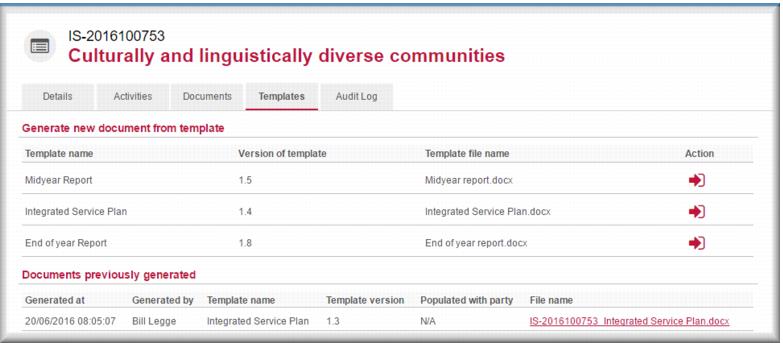
 for the template you want to use.
![MCj04347500000[1]](../GHC102/images/GHC-102-PM.1.159.5.jpg) | Document download processes can vary depending on your browser and Windows version. Talk to your local IT support if you need help with this. |